

How does a smart window opening detector help save heating energy?
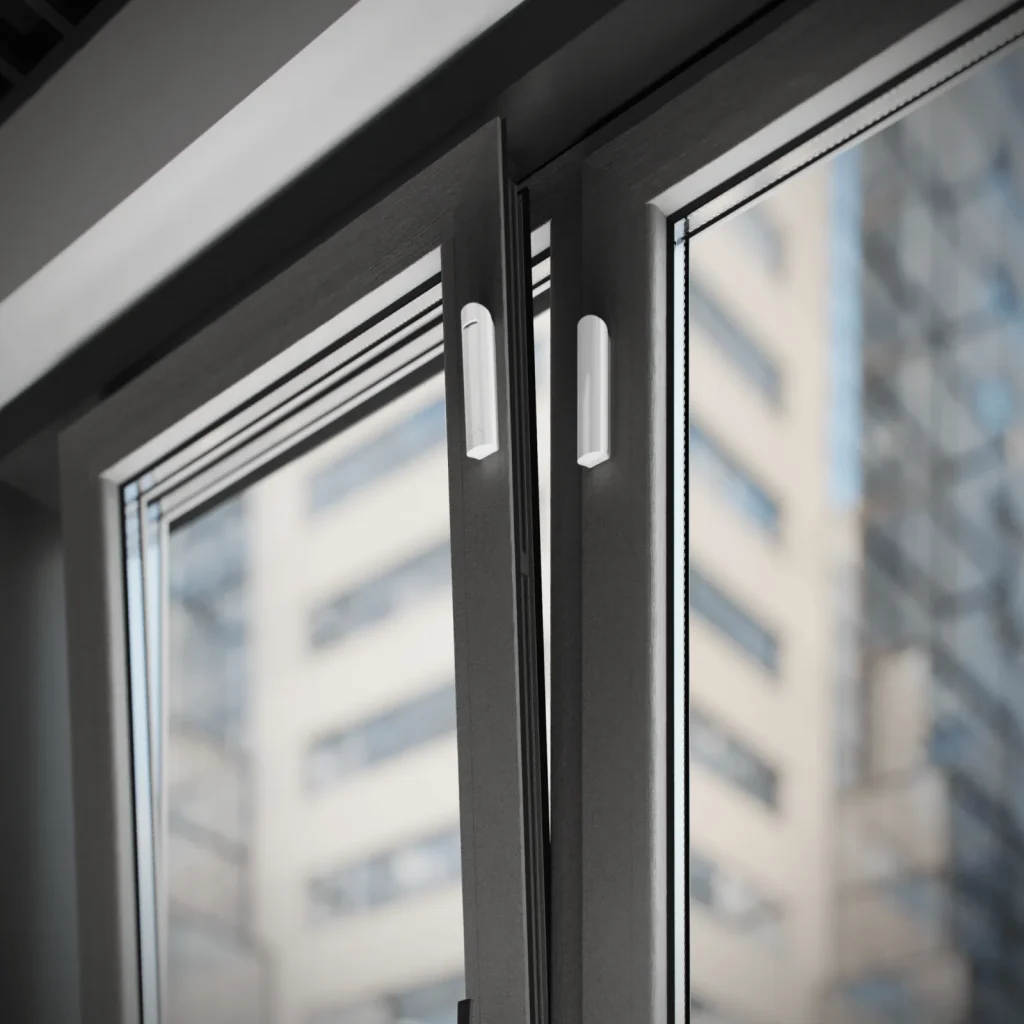
A smart window opening detector helps save heating energy by telling the heating system that a window is open and letting it automatically turn down the radiators while you air out the room, instead of letting them run at full power against the incoming cold air. The same detector that detects a break-in attempt in the alarm system can also control the heating scenario, with no separate device needed. At Defence System, we combine security features with building automation where clients want it, creating one integrated system instead of several independent ones.
In brief
- The same reed switch that protects the window from break-ins can control the heating scenario.
- The system tells a brief tilt from a longer opening thanks to a configurable time threshold.
- When the window closes, the heating automatically returns to the previous level.
- Automation can be limited to selected rooms or times of day.
How does a window opening detector signal heat loss while airing out a room?
The detector registers a window opening when the magnet on the sash moves away from the reed switch on the frame, breaking the electrical circuit and sending a signal to the hub. The same mechanism that triggers a break-in notification in a home alarm system signals the start of airing out the room in an energy scenario. The hub passes this signal on to the heating control module, with no user involvement and no delay measured in minutes. That way, the system reacts to heat loss the moment it actually starts, not only once the thermostat notices the room temperature dropping.
What exactly happens to the heating when the system detects an open window?
The system runs a programmed scenario that lowers or completely pauses the heating in that room while the window stays open. In the Ajax system, this scenario is usually implemented with a relay module that controls the radiator circuit or thermostatic head in response to the opening detector’s signal. When the window closes, the module restores the previous settings and the heating goes back to normal operation, with no need for anyone to adjust the thermostat manually. Since automation and integration with building equipment are part of what we offer, we set up this scenario together with the core anti-burglary installation rather than treating it as a separate project.
A reed switch wired to the thermostat or a scenario on the alarm hub: which should you choose?
A simple reed switch wired directly to the thermostat only passes on the window’s status, and the heating response is limited to switching off or on with no extra logic. A scenario on the alarm hub can take more variables into account at once, such as the time of day, the arming mode, or the state of several windows in the same room. In practice, a simple reed switch can be enough for a single room, but in a whole house with many windows and different heating zones, a scenario on the hub gives more control and fewer accidental situations, such as the heating shutting off in the whole house because of one tilted basement window. The choice depends on the scale of the installation, not on the availability of the technology, since both solutions are widely used today.
Comparing a simple reed switch with a scenario on the alarm hub
| Criterion | Reed switch wired directly to the thermostat | Scenario on the alarm hub |
|---|---|---|
| Logic scope | Simple on/off | Takes into account the time of day, zones, and arming mode |
| Scale of use | Single room | Whole building, many windows and zones |
| Security integration | None | The same detector handles the alarm and the heating |
Can the detector tell a quick airing from a forgotten open window?
The detector itself only reports the window’s status; it’s the scenario configuration that decides how the system reacts to how long the window stays open. You can set a time threshold after which the system treats the opening as longer than a normal airing and, for example, sends an extra reminder to close the window instead of just lowering the heating indefinitely. A short airing of a few minutes only pauses the radiator temporarily, and once the window closes, the heating immediately returns to normal. This distinction helps avoid a situation where a forgotten, tilted window in an empty room lowers the temperature in the whole house for hours without anyone noticing.
How do you set up Night Mode for tilted bedroom windows without turning off the heating?
Night Mode lets you exclude selected window detectors from the alarm part of the system while keeping heating control active in the same room. In practice, a bedroom window left tilted open overnight won’t trigger a burglary alarm but can still turn down the radiator in that room if such a scenario is programmed separately. Separating these two functions is possible because the system treats the detector’s signal as an independent source of information that can feed several different scenarios at once. We set up Night Mode while programming the system, taking into account which windows the household actually leaves open at night and which should stay fully armed.
What determines how much heating energy such automation saves?
How much you save depends mainly on how often and how long windows are opened at home without an automatic heating response, not on simply having a detector. In homes where airing takes a long time or windows stay tilted open for hours, such as in a child’s room or while drying laundry, the difference in energy use is noticeably greater than in households where airing lasts a few minutes a day. The type of heating also matters: systems with high thermal inertia, such as underfloor heating, lose and regain temperature more slowly than panel radiators, which changes how the scenario is configured. Rather than estimating a one-off saving, it’s better to see automation as a way to eliminate situations where the heating runs at full power despite an open window, however large that effect is in a given household.
How do you integrate window opening detectors with an existing alarm system?
If your home already has an alarm system with window opening detectors, heating integration can be added without replacing the existing installation, because the same detectors just need to be connected to an additional automation scenario. This usually means adding a relay module that works with the hub and programming the response logic for each room separately. During a service visit, we check which detectors in the existing system are suitable for this expansion and propose a configuration matched to the building’s heating layout. Adding the energy feature doesn’t affect the anti-burglary part of the system, because both scenarios use the same signal independently.
- Relay module: controls the radiator circuit or thermostatic head.
- Programmed scenario: links the detector signal to the heating response.
- Separate setup for each room: different time thresholds for different types of windows.
Summary
- The same window opening detector can serve the alarm and control the heating at the same time.
- A scenario on the hub gives more control than a simple reed switch wired directly to the thermostat.
- A time threshold lets you tell a quick airing from a forgotten open window.
- This feature can be added to an existing alarm system without replacing the installation.