

How do you set up a wireless apartment alarm system quickly and efficiently?
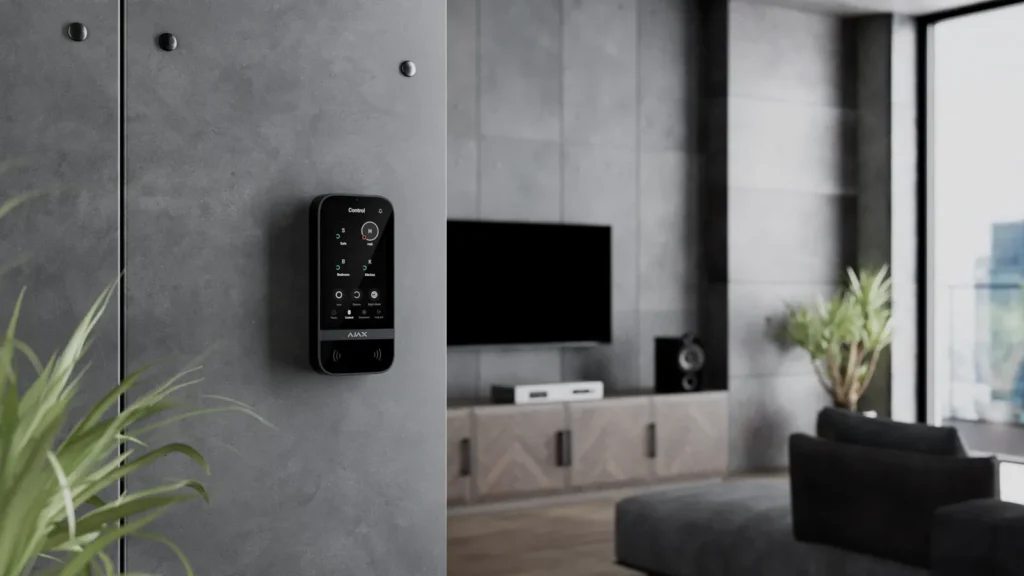
We install a wireless alarm system in an apartment within a single business day, because installing Jeweller wireless devices requires no cutting into walls or troublesome cable runs over freshly renovated surfaces. Our speed comes from established procedures, extensive experience, and Ajax Systems certification, which let us pair and program individual detectors very quickly in the engineering environment. At Defence System, we carry out this installation together with full, personalized zone and scenario setup in a single visit, finishing with training for the owners on using the mobile app safely.
In brief
- Installing and setting up a wireless system in a typical apartment takes the DEFENCE team one business day.
- All work on pairing detectors, dividing zones, and setting sensitivity is done by a certified installer.
- The Ajax hub supports up to 200 devices (Hub 2 Plus) without losing stability.
- The backup battery keeps the system running for up to a dozen or more hours during a mains power outage (depending on the hub model).
How long does it really take to install and set up a wireless alarm system in an apartment?
In a typical apartment, installation together with full setup takes our installers one business day, because without cabling the most time-consuming stage, cutting channels and running cable routes, disappears. That time covers mounting the hub and detectors to standard, checking the stability of the radio signal, and fully programming zones and basic arming scenarios. In larger apartments or with a more extensive configuration, for example including integration with Ajax cameras and leak detectors, installation takes a bit longer but, thanks to our experience, still usually fits into a single visit. The short turnaround comes from our skill, not a simplified installation, since every Ajax component requires a precisely chosen mounting spot.
How does pairing detectors with the hub work, step by step?
Pairing and assigning new devices to the hub is done by a programmer when commissioning the installation. The process involves adding the device in a closed installer environment after powering on the detector. Our specialists give devices clear names (matching their location, such as “front door” or “living room window”), make sure the Jeweller signal is strong enough, and then assign them to a specific security zone in the apartment. Although Ajax technology makes this process quick, it takes expert knowledge to eliminate any range issues right away and make sure the detector will respond correctly.
Why are installation and initial setup handled by a DEFENCE installer?
A wireless system doesn’t mean equipment for amateur installation. The entire configuration, including zone planning, setting detector sensitivity thresholds, creating scenarios, and assigning permissions, is in the hands of the DEFENCE team, which ensures protection is maintained at the Grade 2 standard. Poorly chosen parameters, such as the sensitivity threshold of a motion detector near a vent or in a home with pets, can cause annoying false alarms. Our clients’ solutions rely on a clear division of roles: our engineers handle everything related to security, detector installation, and zones, while the system owner can easily add new users or guests right in the app.
Division of roles between the client and the DEFENCE installer
| System task | On your own (client in the app) | DEFENCE team task |
|---|---|---|
| Adding a guest or temporary user | Yes | — |
| Physical installation and detector pairing | — | Yes |
| Choosing sensitivity thresholds and setting up zones | — | Yes |
How do you quickly add a new user, for example when a new roommate moves in?
Managing household members is a feature handed over entirely to the property owner. A new user is added in the app within minutes by sending an invitation to their email address or phone number, after which they get their own access credentials. The alarm system administrator decides what permissions the new person gets, such as the ability to arm and disarm the alarm, without access to the deeper settings agreed with the installer. This flexibility matters in apartments shared by several roommates or rented out seasonally, where the household keeps changing. Removing a former roommate’s access is just as quick: one tap in the user list in the Ajax mobile app.
What should you set up right away during initial configuration to avoid false alarms?
Already during installation, we adjust the sensitivity threshold of smart motion detectors to the conditions in each room, taking into account pets (pet immunity), curtains moved by ventilation, and radiators creating air movement in the detection zone. Our programmers also set the entry and exit delay on the main door properly, so a household member has time to disarm the system calmly before the alarm goes off. We also set up the very useful partial night arming mode, which activates selected perimeter detectors on windows and doors while leaving motion detectors deeper in the apartment inactive. Correct setup, done by DEFENCE in a single visit, eliminates the frustration of false alarms later on.
- Motion detector sensitivity threshold: matched to pets and air movement in the room.
- Entry and exit delay: time to disarm the system without the stress of a siren.
- Partial arming mode (Night): selected perimeter detectors are active.
How does zone setup differ between a one-room apartment and a larger, multi-room one?
In a studio or small one-room apartment, we usually set up one shared zone covering the whole place, since there’s no need to divide it into areas with different protection modes. In a larger apartment, say with four rooms, it makes sense to separate the living area from the sleeping area. That way, at night, the household can safely stay deeper in the apartment while the entrance and living room are armed. This division also lets us personalize permissions in the app. Advanced zone mapping requires knowing what the Ajax hub can do, so we design the layout carefully in advance and implement it after the final pairing of detectors on site.
What should you do if a detector doesn’t respond to the hub after setup?
The most common cause of lost communication with a detector in amateur installations is too much distance from the hub or an unforeseen obstacle, such as a thick reinforced-concrete wall that dampens the Jeweller radio signal. That’s why every DEFENCE installation is preceded by connection tests at each chosen mounting point. If a device reports a loss of communication during everyday use, our service team has signal strength data from the engineering app. With that information, we diagnose the problem quickly, deciding, for example, to install an additional ReX range extender. Any malfunctions of the detectors are handled by our professional technical service.
Summary
- Professional installation and setup of a wireless system by DEFENCE installers usually takes one business day.
- Technical matters such as pairing devices and configuring security zones are handled solely by installers.
- The system owner manages users and their permissions independently and securely through an intuitive app.
- The sensitivity thresholds and entry delays we set correctly eliminate false alarms and household stress right away.